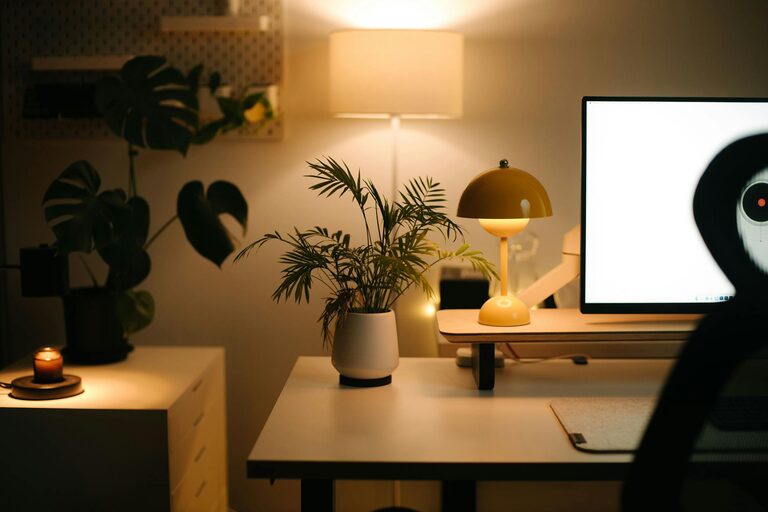

Creating a cozy and productive home workspace is essential for anyone working remotely or managing tasks from home. A well-designed area not only boosts focus and efficiency but also makes your workday more enjoyable. Here are some practical tips to help you set up a workspace that balances comfort and functionality.
Choose the Right Location
Selecting a suitable spot for your workspace lays the foundation for productivity. Aim for a quiet area with minimal distractions.
– Natural Light: Position your desk near a window if possible. Natural light improves mood and energy.
– Away from Noise: Avoid busy household areas like the kitchen or living room to maintain concentration.
– Space Availability: Ensure there’s enough room for your desk, chair, and any equipment or supplies.
Invest in Comfortable Furniture
Comfort plays a big role in how long and how well you can work comfortably.
– Ergonomic Chair: Choose a chair that supports your back and encourages good posture.
– Appropriate Desk Height: Your desk should allow your arms to rest comfortably at a 90-degree angle.
– Adjustable Setup: Consider a sit-stand desk or accessories to customize your workspace.
Organize and Declutter
A tidy workspace reduces stress and increases focus.
– Use Storage Solutions: Shelves, drawers, and organizers keep supplies in order.
– Limit distractions: Keep only work essentials on your desk; remove unrelated items.
– Cable Management: Use clips or ties to keep cords neat and prevent tangling.
Personalize Your Space
Adding personal touches can make your workspace inviting without compromising professionalism.
– Decor: Add plants, artwork, or photos that inspire or relax you.
– Color Choice: Use calming colors like soft blues, greens, or neutrals.
– Lighting: Include a desk lamp with adjustable brightness for cloudy days or late hours.
Set Up Efficient Technology
Reliable technology is crucial for productivity.
– Monitor and Keyboard: Consider external monitors and a comfortable keyboard for better ergonomics.
– Fast Internet: Ensure your connection supports video calls and downloads without lag.
– Headphones: Noise-cancelling headphones can help focus in noisy environments.
Establish a Routine
Your workspace should support a consistent work schedule.
– Regular Hours: Set and stick to specific work hours to create boundaries.
– Break Area: Step away from your desk during breaks to refresh your mind.
– Task List: Keep a planner or digital to-do list visible to stay on track.
Maintain Good Air Quality and Temperature
Comfort isn’t just about furniture—air quality and room temperature matter too.
– Ventilation: Open windows when possible or use an air purifier.
– Temperature Control: Use fans or heaters to maintain a comfortable environment.
Incorporate Movement and Stretching
Long periods of sitting can affect health and productivity.
– Stretch Regularly: Take short breaks to stretch or walk around.
– Desk Exercises: Simple exercises at your desk can improve circulation and reduce fatigue.
Final Thoughts
A cozy and productive home workspace is tailored to your needs and preferences. By focusing on comfort, organization, and functionality, you can create a space where you feel motivated and efficient. Remember, your workspace is an extension of your work habits—invest time to make it enjoyable and effective.
With these tips, you’re well on your way to designing a home office that supports both your comfort and productivity every day.